

Please take a few minutes to complete the pre-assessment survey.
Microsoft Copilot / AI for Lawyers
Transforming Your Legal Practice with Generative AI
Hands-on training to empower legal professionals
Your Presenters
Experts guiding your AI journey
Gonzague Patinier
AI Strategy & Enterprise Transformation.
Focus: scaling GenAI pilots to production.
Mishari Muqbil
Fractional CTO: Digital Innovation & Tech Leadership.
Expert in business-driven technology strategy.
Training Participants
Collaborative learning environment
Pam Analie
Cristina Garcia
Emmarie Segura
Farhan
Flora Dinh
Laiba Fateh
Lorren Ronquillo
Rachelle Garcia
Ray Ubod
Vina Bernardez
Pre-training Assessment
Microsoft Copilot / AI For Lawyers Training
Training Objectives
What we aim to achieve together
- Enable lawyers to use AI in daily legal work
- Increase productivity in drafting & research
- Improve consistency and quality of outputs
- Equip teams with practical prompting
- Enable safe and compliant AI usage
Target Outcome
Apply 3 immediate AI use cases within 7 days
Learning Outcomes
Skills you will acquire
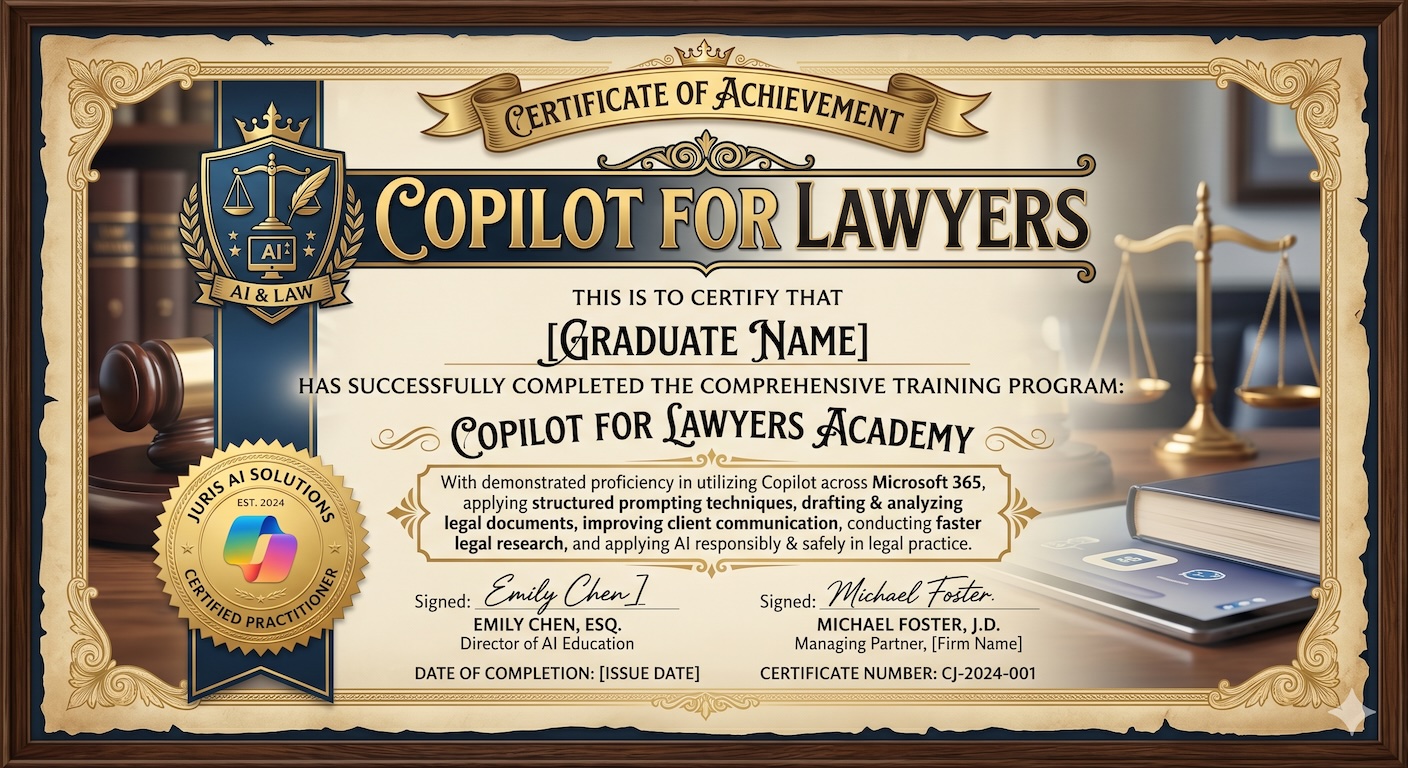
- Use Copilot across Microsoft 365
- Apply structured prompting techniques
- Draft & analyze legal documents
- Improve client communication
- Conduct faster legal research
- Apply AI responsibly & safely
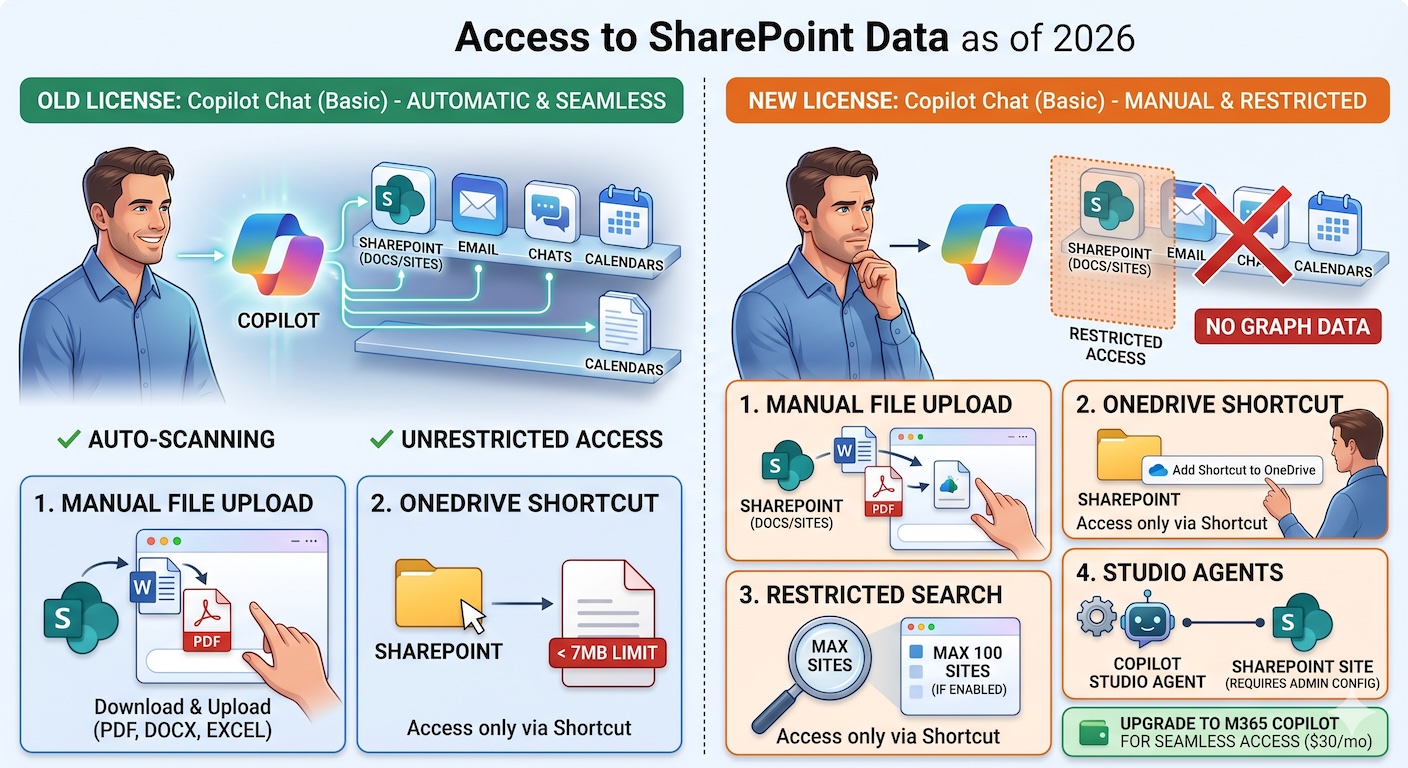
Copilot Licensing Changes: Basic vs. Paid
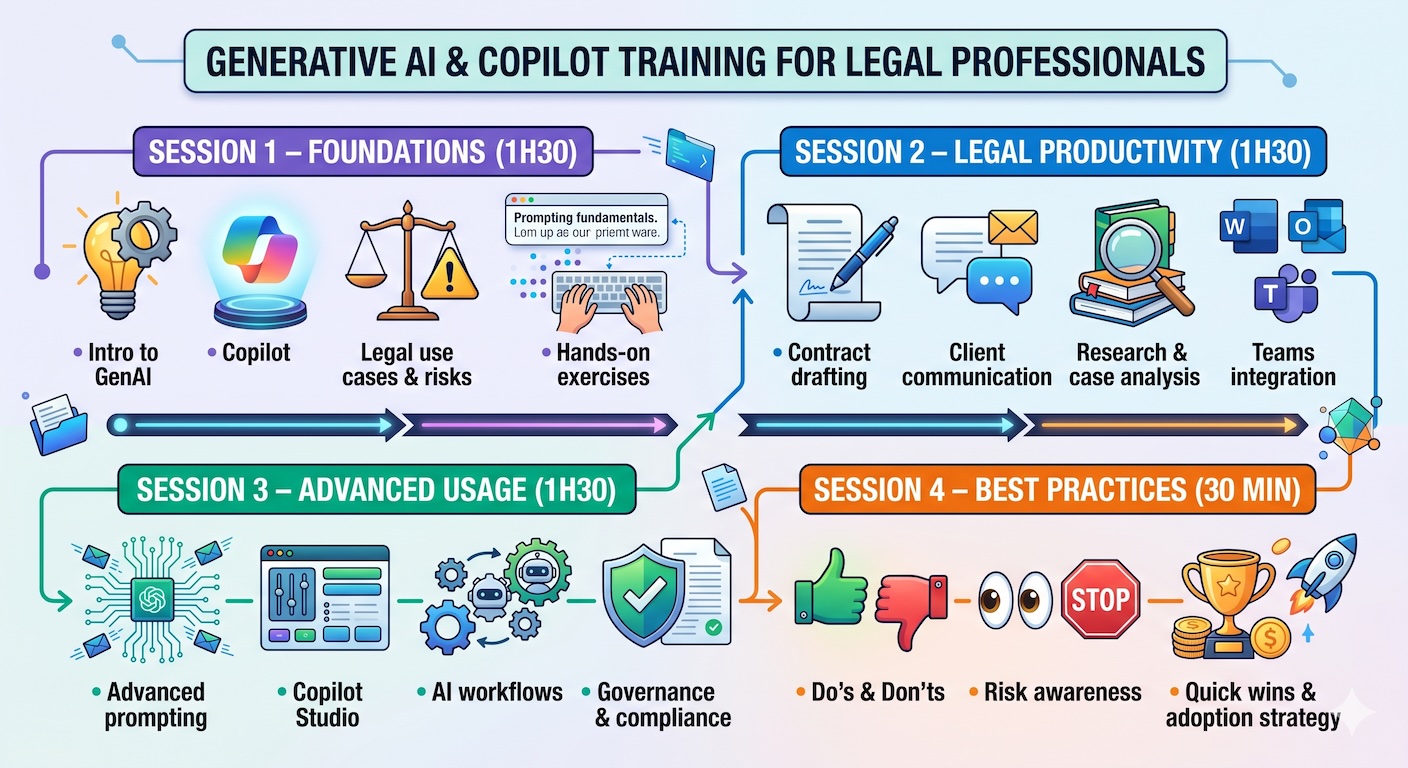
Training Program Overview
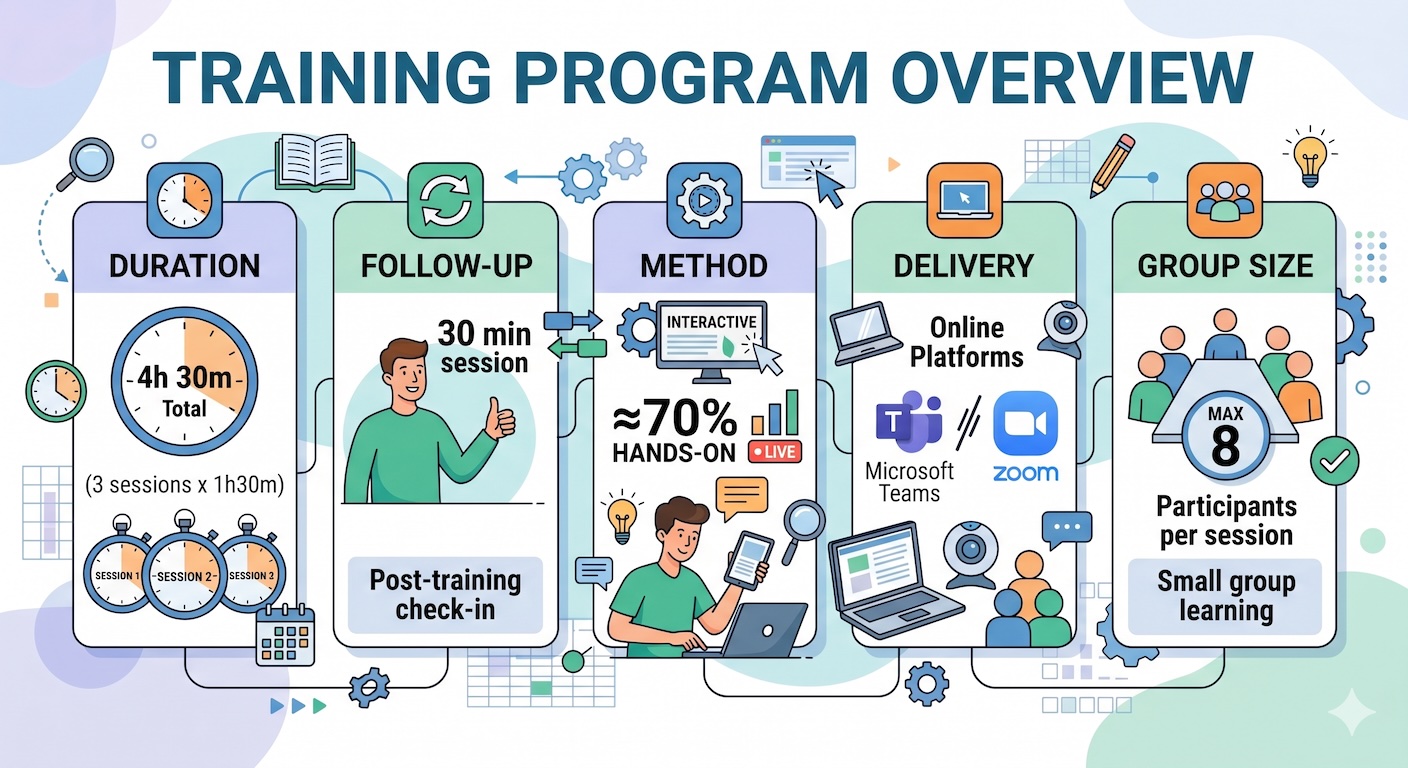
Training Program
In between sessions

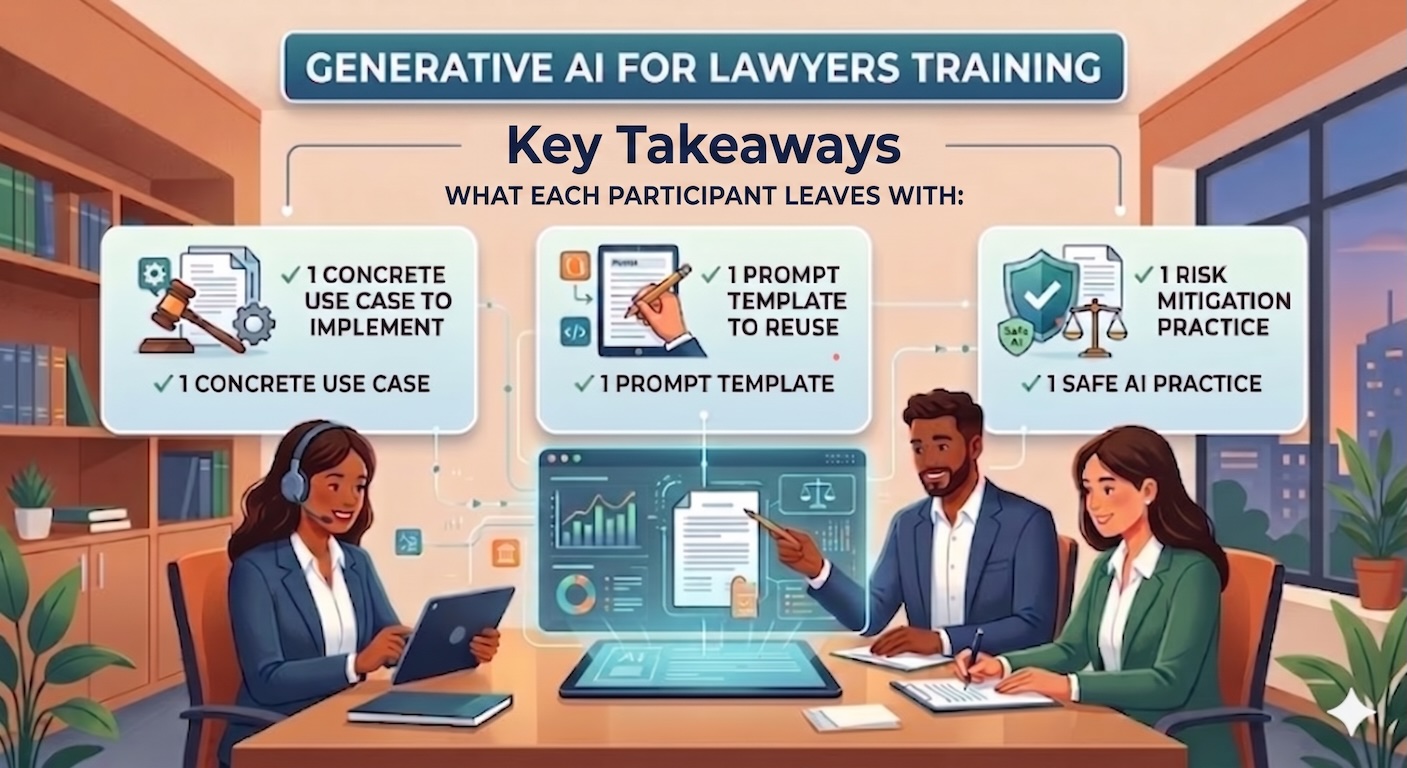
Key Takeaways
Questions?
Let's transform your legal practice with AI
Thank you for your attention